


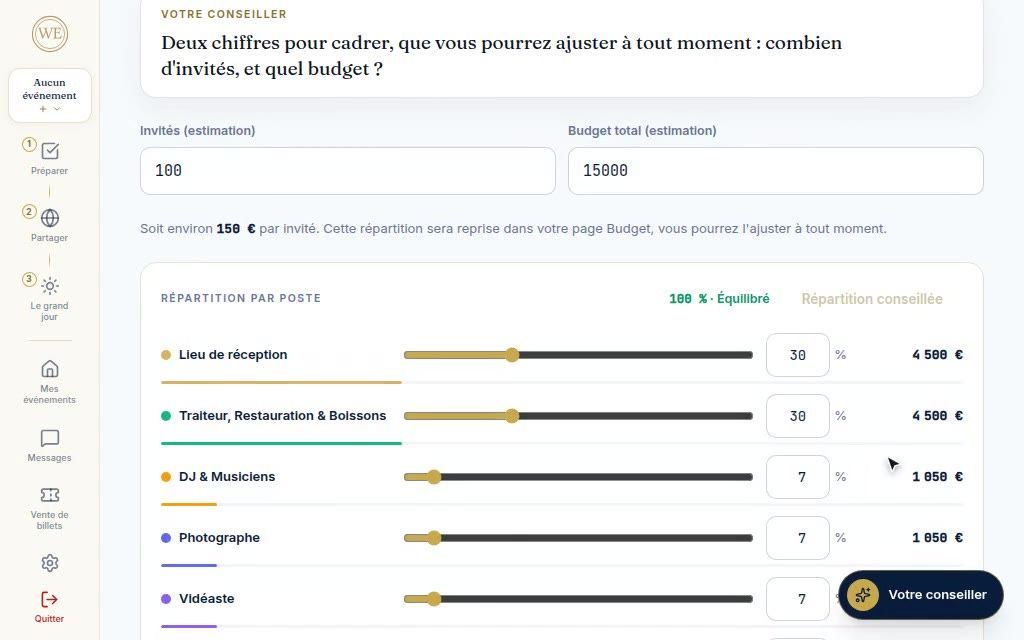
Creation in four questions
Type, date, venue, guests and budget: your dashboard is ready.

Manage your event for free, like the pros
Budget, guests, quotes, seating plan, invitation site and event-day schedule: your area brings together what is usually scattered across a spreadsheet, e-mails and chat groups.
Wedding, birthday or company party, it is free and has no subscription. The price you pay is the one in your vendor's quote.
Sign up with Google or by e-mail, no payment card required.
Search, compare, request your quotes, run the big day.
Free, no subscription
The directory, live
506 vendors rated on four criteria: profile quality, responsiveness to requests, client reviews and activity on We Event. Search by category, city and radius, no account needed.
Scrolling pauses on hover. Each thumbnail opens the vendor's public profile.
See the whole directoryYour area, in three stages
Your area's menu follows these three stages.
Prepare
You set a budget: it is split across the line items according to your event type. Each quote you approve moves to “committed”, each payment to “paid”, and what is left to pay is shown line by line. A quote that exceeds its line's budget is flagged before you approve it.
On screenThe budget by line item: planned, committed, paid, left to pay.
Share
Your invitation site goes online in three screens. Each guest replies from their personal link: attendance, plus-ones, diet, allergies and menu choice. A deadline triggers the reminders, and the export for the caterer includes diets and allergies.
On screenThe invitation site, then a guest's reply.
The big day
The event day brings together the schedule, your vendors with their contact details, the emergency contacts, the weather and your plan B. You share it by link, print it as a PDF or display it on a screen.
On screenThe schedule, the emergency contacts and the event-day vendors.
Sign up with Google or by e-mail, no payment card required.
For which event
When you create it, you choose your event type. Your area adapts to it.
The budget is split across line items according to the type: a wedding and a seminar are not divided up the same way.
A checklist is offered for a wedding, a birthday or a business event, with its deadlines up to the big day.
A single account manages up to five events, each with its own budget, guests and schedule.
Everything your area contains
Type, date, venue, guests and budget: your dashboard is ready.
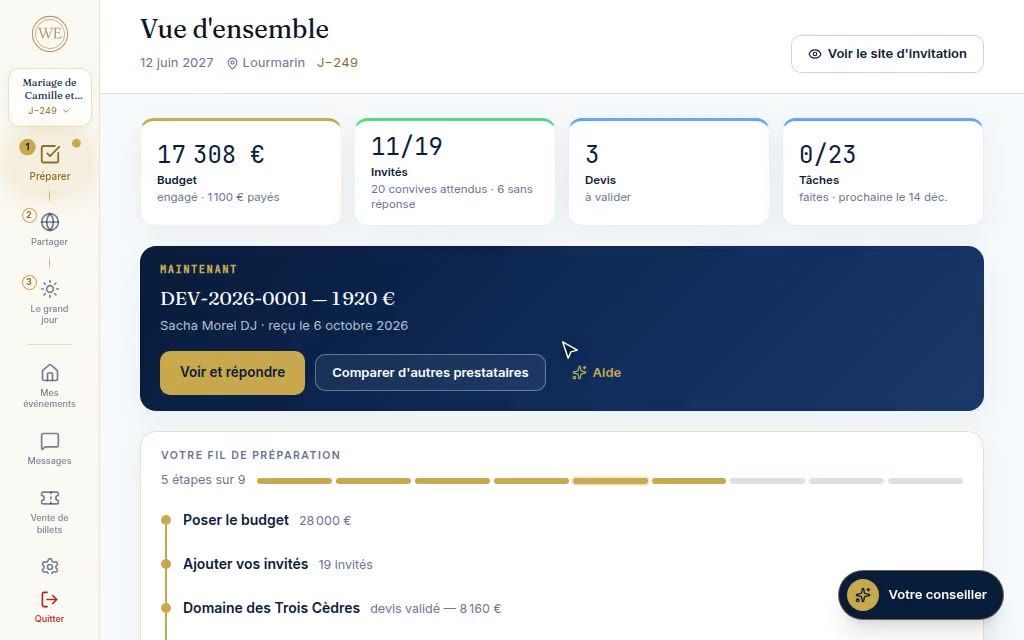
Four figures and the next thing to do.
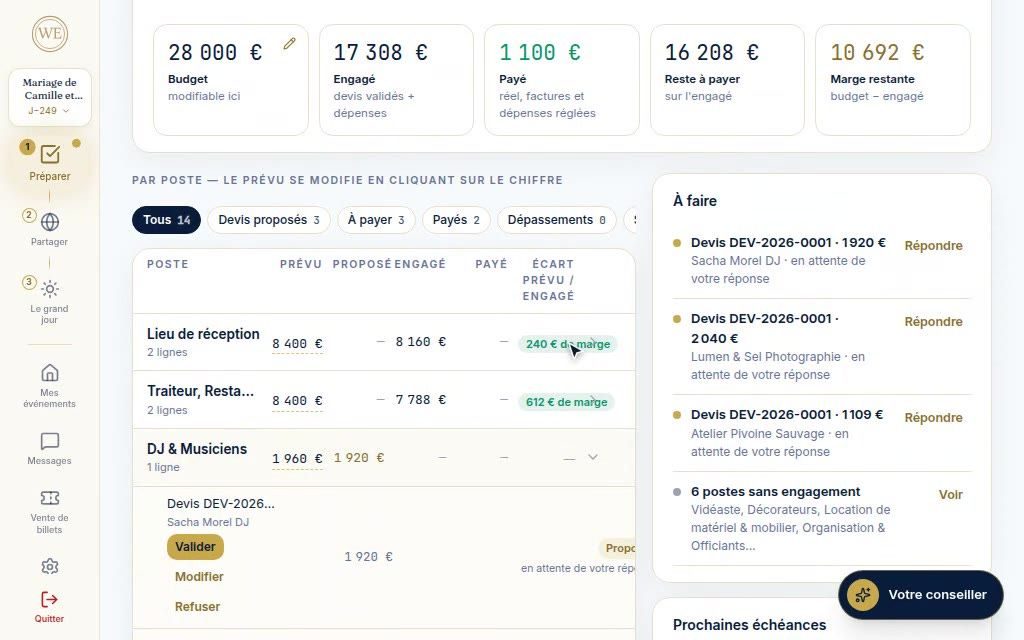
Planned, committed, paid, left to pay, line by line.
By line item and by distance, with their availability on your date.
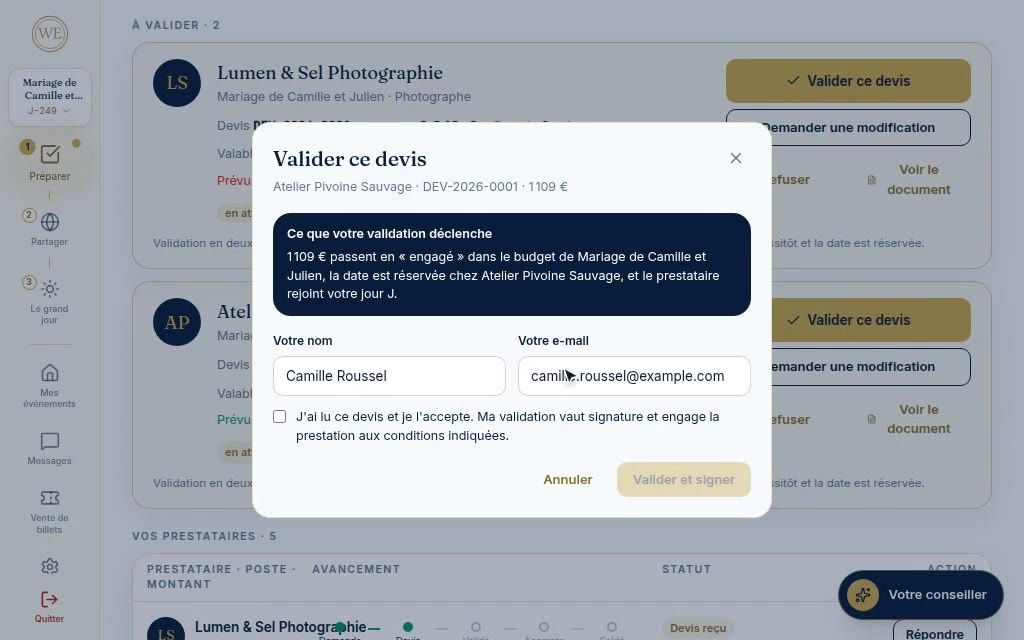
You approve online, request a change or decline.
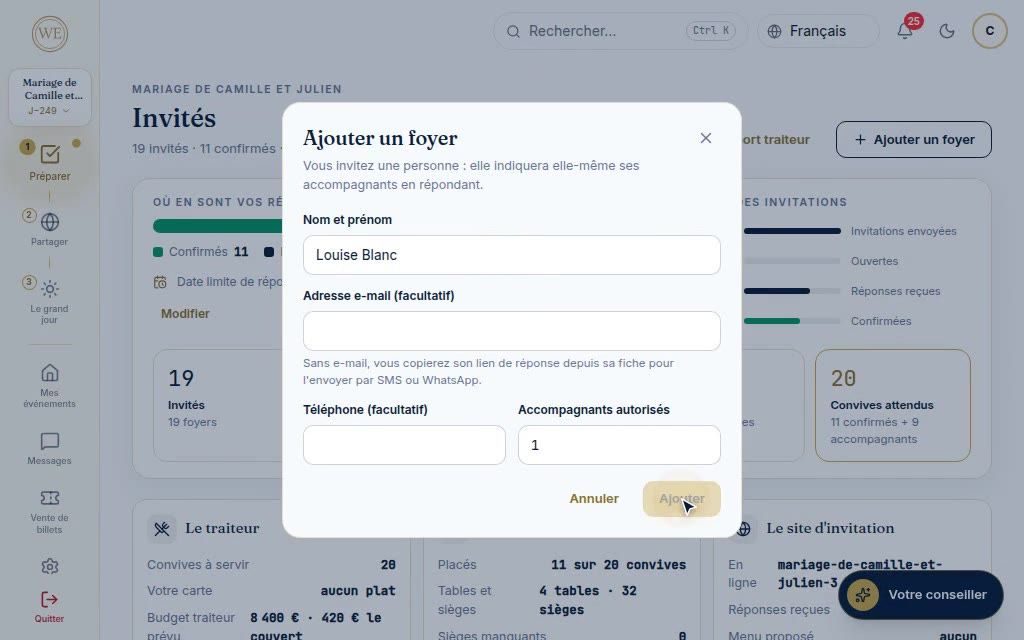
By household, with invitations, replies and reminders.
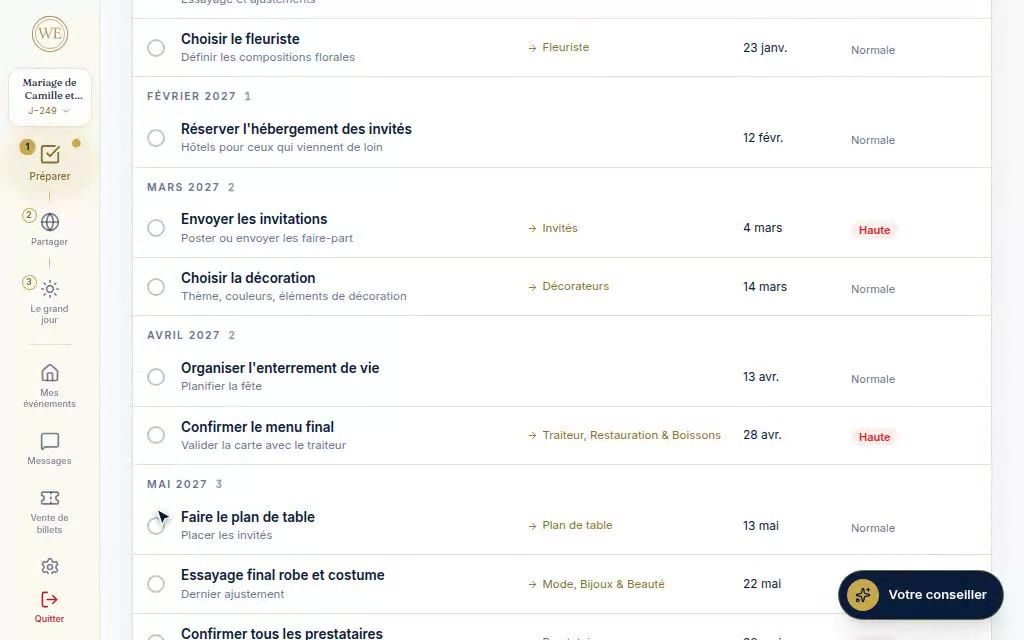
A month-by-month planning schedule up to the big day.
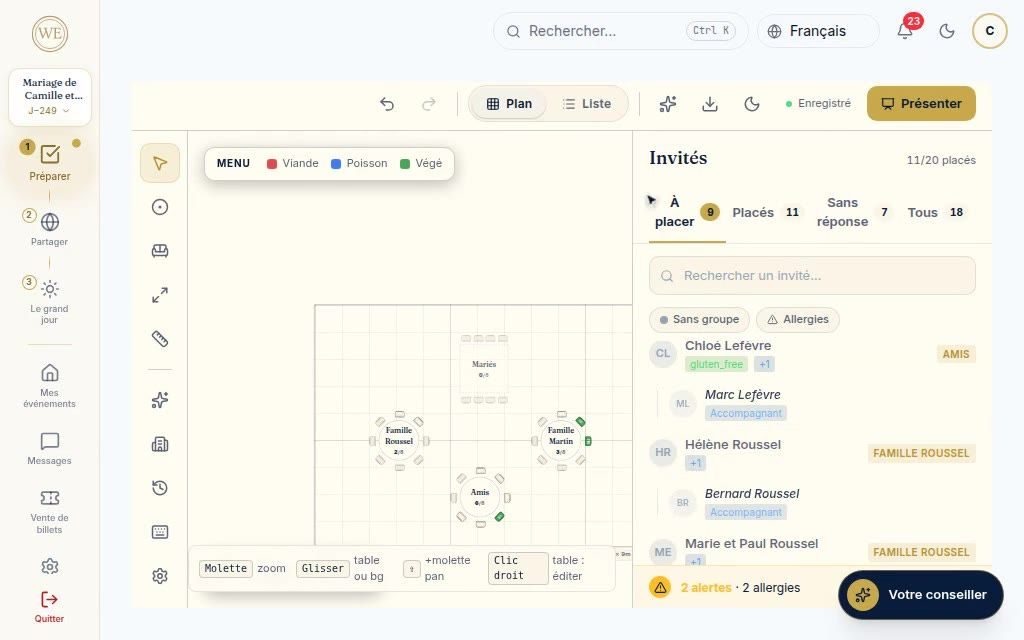
Tables drawn to scale, guests dragged into place.
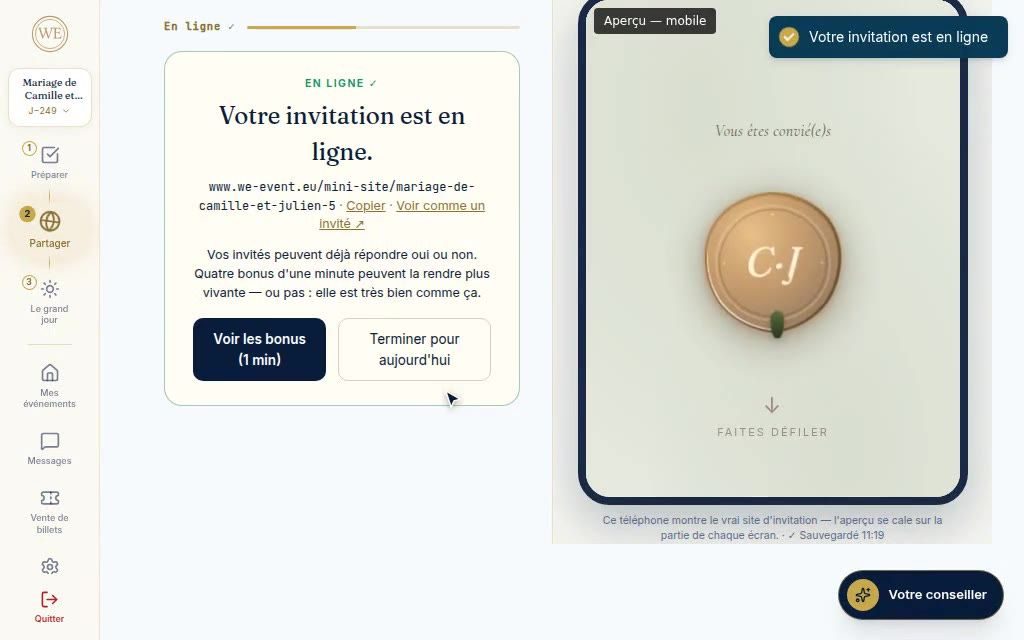
Online in three screens, at the address of your choice.
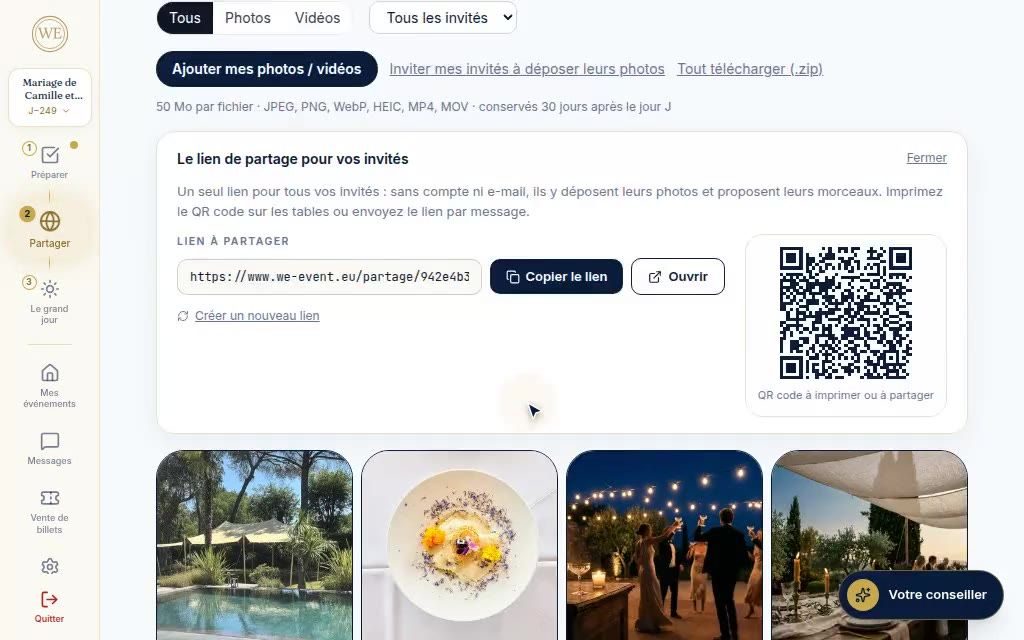
Guest photos by QR code, your photographer's albums.
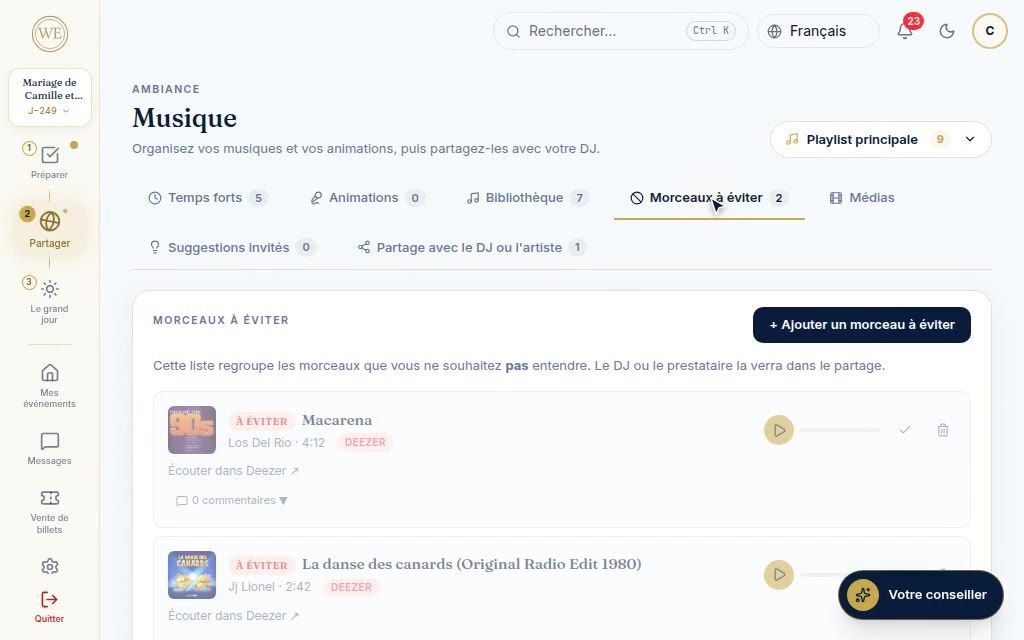
The moments of the evening, the songs to avoid, sharing with the DJ.
Written, audio or video messages, quizzes and polls for your guests.
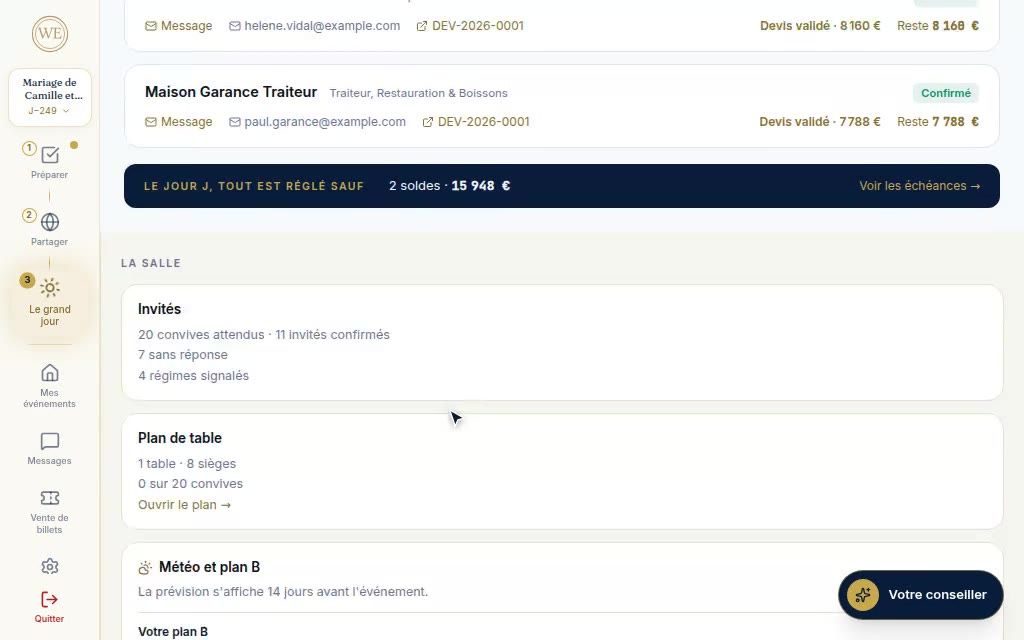
Schedule, vendors, emergency contacts, weather.
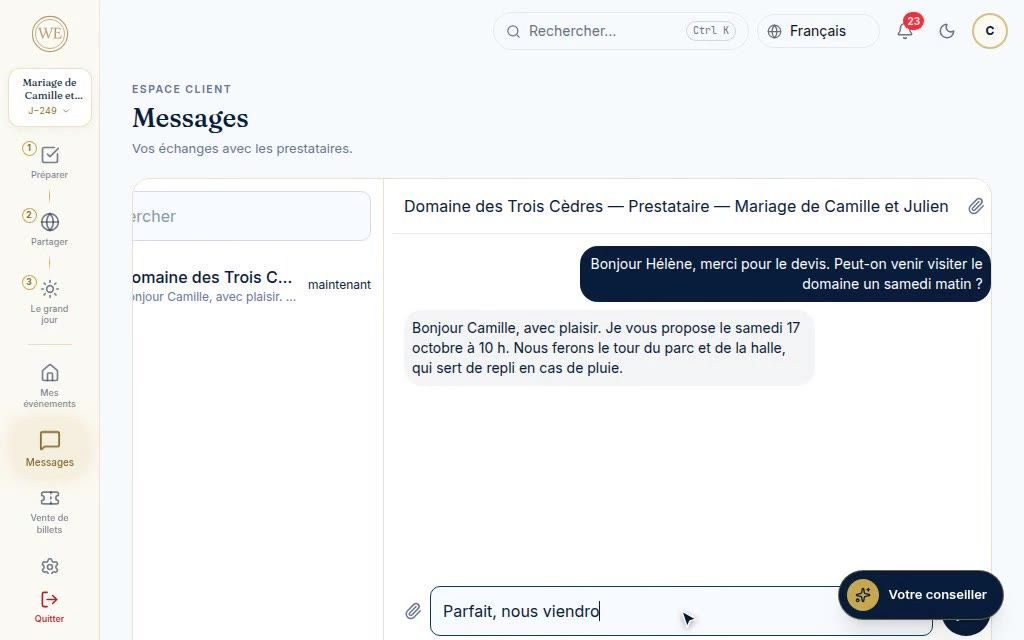
Your conversations with each vendor, filed with the event.
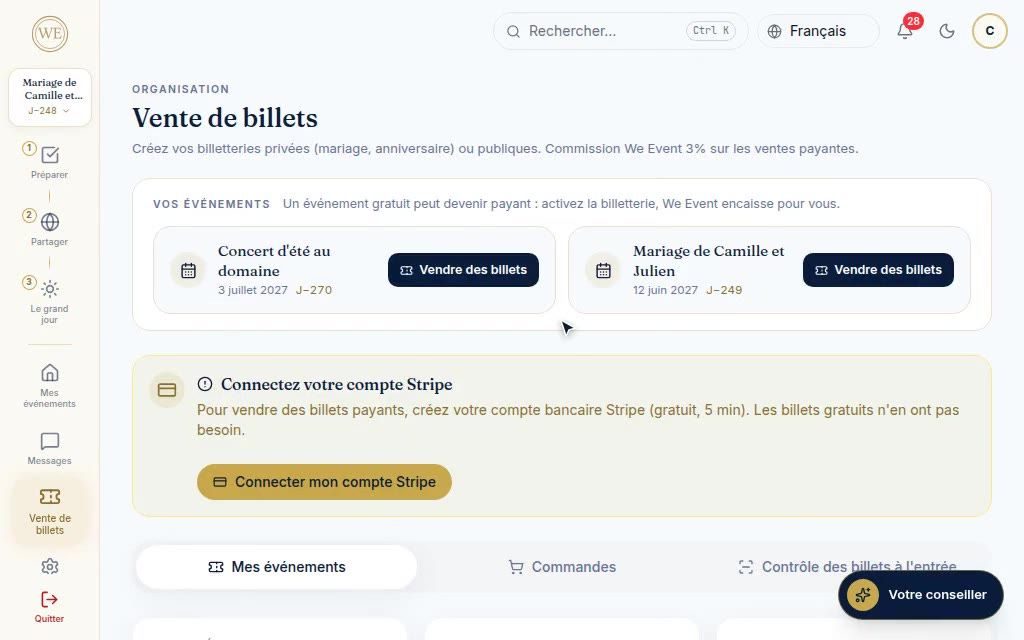
Free or paid tickets, entry control by QR code.
An assistant that knows your event and tells you the next step.
Our commitments
Searching, quote requests and your whole area are not billed to you. Our business model relies on vendors, who subscribe to their tools.
The quote you receive is the vendor's price. We Event adds no fees to it and takes no commission on the contract you sign with them.
Your requests and messages go straight to the vendor, with no sales intermediary.
From “My account”, you download your data or request deletion of your account.
Sign up with Google or by e-mail, no payment card required.
A real person reads your message
Give the date, the venue, the number of guests and the budget. A member of the team reads your message and points you to rated vendors near you, with no commitment.
Frequently asked questions
Your area is free, with no subscription or payment card.
Create my free areaSign up with Google or by e-mail, no payment card required.
Organizing for a company or a municipality? See the Companies page or the Local authorities page.
Are you a vendor? See the tools for professionals →
Free all the way through organizing: searching for vendors, quote requests, the budget, guests, the seating plan, the invitation site and the big day. The price you pay is the one in your vendor's quote, with no added fees. Only the sale of paid tickets carries fees, deducted from your revenue: a 3% commission and bank fees. Free tickets have none.
No. The directory, the profiles and the ratings can be browsed freely. The account, which is free, is for keeping your quote requests, your conversations and your preparations in your event's area.
No. Each guest replies from their personal link or from your invitation site. They also upload their photos through a link or a QR code, without an account.
You approve a quote online: your name, your e-mail and a tick box count as a signature, and the accepted quote remains available as a PDF. The deposit is paid by card when the vendor has enabled online payment. Otherwise, you receive their deposit invoice and pay by bank transfer.
You can invite your photographer to deliver their albums here, and add a vendor who is not registered to the event-day schedule. Albums, films and playlist sharing go through the vendor's area: they require the vendor to use We Event. The rest of your preparations does not depend on it.
Five per account. Each event has its own budget, guests, invitation site and schedule.
Yes. Your area works in your phone's browser, with a menu adapted to it. The app for iPhone and Android is coming.
The photos and videos uploaded by your guests, like the guest book, are kept for 30 days after the event: download them before then. Your photographer's albums stay online as long as they use their tool, then for 90 days. You are notified by e-mail before they are deleted, and you can download everything.